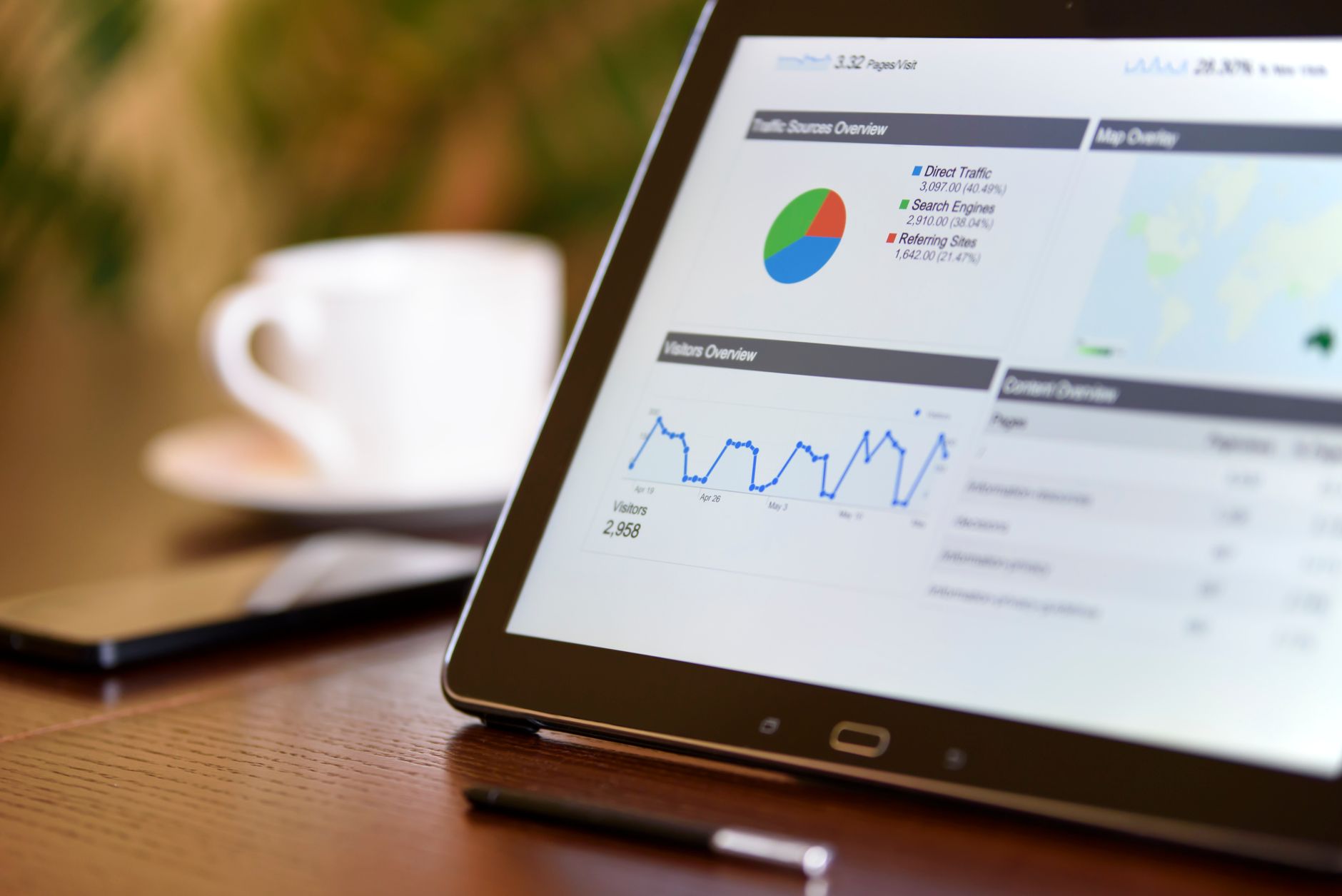
Most local service businesses are spending money on ads. Fewer of them actually know whether those ads are working. If you run a dental practice, an aesthetics clinic or any kind of local service business in the UK, the gap between what you spend and what you can genuinely attribute to that spend is often wider than it should be. This guide is about closing that gap — practically, without expensive software or a dedicated data team.
Why Local Ad Tracking Is Different From Generic Marketing Analytics
Digital marketing dashboards are built around clicks, impressions and sessions. That is fine if you sell products online. But if your goal is a booked appointment in Woking or a consultation in Harrogate, the metric that actually matters is the enquiry or booking — and quite often that comes through a phone call, not a form submission.
This creates a real measurement gap. Someone searches for “cosmetic dentist near me”, clicks your Google Ad, reads your page for two minutes and then rings you directly. Your Google Ads dashboard might record only a click and a bounce. Without the right setup, that converted lead is invisible to your reporting.
The other challenge is attribution across channels. A prospective patient might first see your Instagram ad on a Tuesday, ignore it, then search Google on Thursday, find your Google Business Profile and call from there. Which channel gets credit? For most small practices and clinics, the honest answer is: none of them, because the tracking infrastructure to answer that question properly is not in place.
The Four Conversion Points You Need to Track
Before worrying about dashboards or attribution models, get clear on what a conversion actually looks like for your business. For most UK local service businesses there are four:
- Phone calls — often the dominant conversion for dental and aesthetics businesses, especially for first-time enquiries.
- Online booking or enquiry form completions — trackable as goal events in Google Analytics 4 (GA4) with a thank-you page or a form-submit trigger.
- Direction requests from Google Maps — a useful secondary indicator that someone intends to visit you physically.
- Direct messages via Google Business Profile or social media — growing in importance, especially among younger patients using Instagram or Facebook.
The single biggest quick win for most clinics is setting up call tracking. Tools like CallRail or even Google’s built-in call reporting on Google Ads let you assign a unique tracking number to a campaign so you can see, per pound spent, how many calls that campaign generated. It is not perfect, but it is far better than flying blind.
Setting Up Google Ads Conversion Tracking for a Local Clinic
Google Ads has conversion tracking built in, and for local service businesses the most useful conversions to configure are: calls from ads, calls from your website, and form completions. If you have not set these up, you are optimising your bids and ad copy without the data you need to know whether any of it is working.
For calls from ads, enable the call extension (now called a call asset) on your campaigns and turn on call reporting in your Google Ads account. Google will show you call duration, which helps you filter out accidental dials. Set a threshold — calls over 60 seconds are usually genuine enquiries for a clinic — and count only those as conversions.
For website conversions, install the Google Ads tag via Google Tag Manager and fire a conversion event on your booking confirmation page or after a form submit. If you do not have a dedicated thank-you URL, your developer can set up a Tag Manager trigger on a form submission event instead. The Google Ads Help Centre walks through both approaches clearly and it is worth consulting it directly rather than relying on second-hand tutorials that may be out of date.
Once conversions are firing correctly, switch your campaigns to a Target CPA (cost per acquisition) or Maximise Conversions bidding strategy. Before that point, Google’s smart bidding is guessing. After it, the algorithm has real signal to work with and campaign performance usually improves noticeably within a few weeks.
If you are newer to paid search, our guide to PPC and Google Ads covers the fundamentals before you get into conversion tracking specifics.
How Do You Track Meta Ad ROI for a Local Service Business?
Meta ads (Facebook and Instagram) work differently from Google Search. You are reaching people who were not actively searching for you, so the conversion journey is longer and attribution is harder. That said, Meta can be highly effective for aesthetics clinics, beauty salons and dental practices running awareness campaigns or promoting specific treatments — particularly when you use lead generation ads that capture an enquiry directly inside Facebook or Instagram without the person needing to visit your website.
The Meta Pixel (now part of the Meta Business Suite as the Meta Pixel or Conversions API) should be installed on your website so that Meta can track what happens after someone clicks your ad. The Conversions API is worth implementing alongside the pixel because it sends data server-side, which is more reliable as browser-based tracking becomes less accurate due to cookie restrictions and ad blockers.
For local service businesses specifically, the most useful Meta campaign objectives are:
- Lead generation — the native lead form keeps the user on Meta and reduces friction, which tends to produce more leads at lower cost, though lead quality can vary.
- Calls — you can run campaigns optimised for phone calls, useful for practices that prefer a conversation to a form.
- Traffic to a landing page — effective when you have a well-optimised local landing page with a clear booking CTA. Pair it with GA4 goal tracking so you can see the full journey.
The key discipline with Meta is connecting lead volume back to actual booked appointments. A common mistake is celebrating a low cost-per-lead without checking how many of those leads actually converted into paying clients. Keep a simple spreadsheet where your front-desk team logs which new enquiries came through social, and reconcile that monthly against what Meta reports. It is low-tech but it keeps you honest.
For a broader look at paid social strategy, the paid social services page outlines how campaigns are structured for local audiences.
What Does a Good Cost-Per-Booking Actually Look Like?
There is no universal benchmark, because it depends entirely on the value of a new client to your business. A dental practice where a new NHS patient adds modest revenue each year has a very different tolerance for ad spend than a cosmetic dentist offering implants or Invisalign. An aesthetics clinic that knows a new client typically returns for multiple treatments has more headroom to spend on acquisition than one that sees mostly one-off visits.
The right way to think about it is lifetime value, not single-appointment revenue. If a new patient at your clinic spends a meaningful amount per year and stays with you for several years, you can justify a cost-per-acquisition that might look high relative to a single booking fee. Work out your average client lifetime value and your typical conversion rate from enquiry to first appointment — those two numbers tell you the maximum you can afford to pay per lead while remaining profitable.
Building this kind of retention thinking into your marketing also points you toward why simple CRM habits that build clinic customer loyalty matter as much as your acquisition campaigns. Getting the client through the door is only the beginning.
Connecting Your Ads to Google Business Profile Data
Many local service businesses treat their Google Ads account and their Google Business Profile as separate things. They are not. Your Business Profile is often the last thing a prospect sees before calling or booking, so it sits directly in your conversion funnel even when someone arrived via a paid ad.
Inside your Google Business Profile dashboard, you can see how many people requested directions, visited your website, or called you directly from the profile. This is organic data rather than paid, but it gives you a useful baseline. If someone clicks your ad, does not immediately convert, then searches your name later and finds you via the map — that eventual conversion is partly attributable to your ad spend even if your tracking does not capture it.
This is one reason why local SEO and paid ads are not competing channels for a local business. They reinforce each other. A strong Business Profile improves the quality score of your ads (because your landing page experience is partly judged on trust signals) and reduces the cost per click over time. If you have not fully optimised your profile yet, the article on ranking in the Google Map Pack for local services covers the foundations. The Google Business Profile support documentation is also the definitive reference for features and updates.
Building a Simple Monthly Reporting Habit
You do not need a sophisticated BI tool to stay on top of local ad performance. A well-structured monthly check-in of 30 to 45 minutes covers everything most small practices and clinics need.
Here is what to review each month:
- Total spend vs total tracked conversions — calculate your blended cost per conversion across all channels.
- Call tracking report — how many calls came from ads, how long did they last, and did your team follow up on the ones that did not book?
- Form completions and lead form submissions — cross-reference with your bookings data to calculate the lead-to-booking rate.
- Google Business Profile insights — calls, direction requests and website visits from the profile itself.
- Campaign-level breakdown — which ad campaigns or ad sets are delivering the best cost-per-conversion? Pause or reduce budget on what is not working.
Keep a running record month-on-month so you can see trends rather than making decisions based on a single month’s data. Seasonal fluctuation is real in dental and aesthetics: January often sees a spike in cosmetic enquiries, summer can be quieter for dentistry. If your tracking history goes back six months or more, you can plan your ad budget around those patterns. The article on seasonal promotions that fill local clinic bookings is worth reading alongside this one for timing your budget increases.
What About AI Tools for Tracking and Reporting?
Increasingly, small businesses are using AI tools to speed up their reporting workflow. GA4 has a built-in insights feature that can flag anomalies and surface trends automatically. Tools like Looker Studio (free from Google) let you pull GA4, Google Ads and Search Console data into a single visual dashboard, which makes the monthly review much faster.
If you want to go further, AI can help you draft the analysis narrative around your numbers — describing what changed and suggesting hypotheses for why. This is particularly useful if you are a sole trader or a small team where no one has a dedicated analytics background. The key is to use AI to accelerate interpretation, not to replace the discipline of checking the actual numbers yourself.
For a broader look at how AI fits into a small business marketing workflow, the guide on AI for marketing and content for low-budget SMEs is a practical starting point. And for thinking about trust signals that support both your SEO and your paid campaigns, E-E-A-T and trust signals is worth reading for any clinic investing in digital visibility.
The Google Developers documentation is also a useful resource if you or your developer need to implement the Google Tag Manager or Conversions API setups discussed above.
Key Takeaways
- Phone call tracking is the single most overlooked conversion for UK clinics and local service businesses — set it up before anything else.
- Your cost-per-booking target should be based on client lifetime value, not single-appointment revenue — this changes how aggressively you should be willing to spend.
- Google Ads and your Google Business Profile reinforce each other; optimising both together produces better results and lower cost per click than treating them separately.
- A simple monthly reporting habit — spend, calls, form completions, bookings — gives you enough data to make confident budget decisions without needing expensive analytics software.
Frequently Asked Questions
How do I track phone call conversions from Google Ads?
Enable call assets on your Google Ads campaigns and turn on call reporting in your account settings. Google assigns a forwarding number to your ad, records call duration and counts calls above your chosen threshold (typically 60 seconds) as conversions. This data feeds directly into your campaign reporting and smart bidding algorithms.
What is a realistic cost per lead for a dental or aesthetics clinic running local ads?
It varies significantly by location, treatment type and how competitive your local market is. The most useful benchmark is your own data: calculate your client lifetime value, set a maximum cost-per-acquisition that keeps you profitable, and use that as your target rather than comparing yourself to industry averages that may not reflect your specific situation.
Do I need to use both Google Ads and Meta ads?
Not necessarily at the same time. Google Search ads capture people already looking for your service, making them higher-intent and often better for immediate bookings. Meta ads are better for awareness and reaching people before they are actively searching. Many local clinics start with Google, get tracking right, then add Meta once they have a baseline cost-per-booking to compare against.
How does my Google Business Profile affect my paid ad performance?
Your Business Profile contributes to your overall online credibility, which influences Google’s assessment of your landing page experience — one of the factors in your Quality Score. A well-maintained profile with strong reviews can reduce your cost per click over time. It also captures conversions from prospects who click an ad but then search your name directly before making a decision.
If you would like a clearer picture of where your local ad spend is going and what it is actually generating, get in touch with B4Mind for a free local growth audit covering both your SEO and paid advertising — we will show you exactly what is working and where the gaps are.